
By Aman Singh · · 8 min read
The Conversion Leak Equation
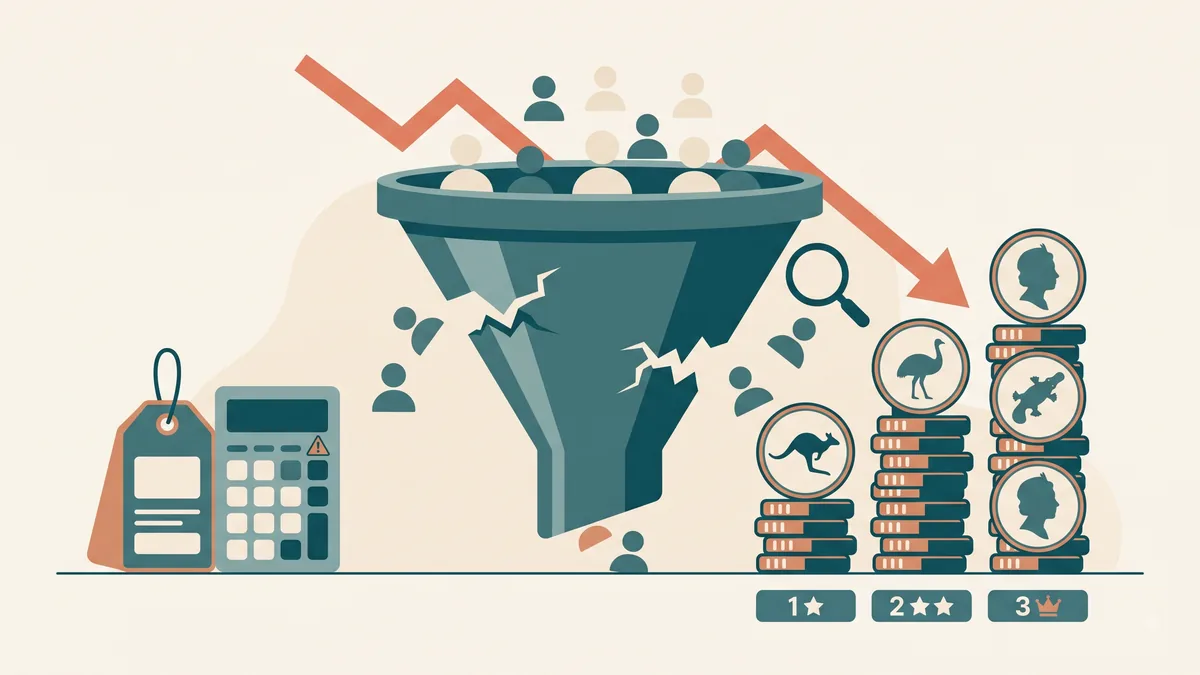
Before diagnosing specific issues, understand the math behind website conversion. If your business receives 1,000 monthly visitors and converts 1% into enquiries, you get 10 leads a month. If you double your conversion rate to 2% through targeted fixes, you double your leads to 20 — without spending an extra dollar on Google Ads, social media marketing, or SEO campaigns.
Fixing conversion leaks provides the highest return on investment (ROI) of any digital marketing activity because it maximizes the value of traffic you are already paying for or earning.
1. Slow Mobile Load Speed (The Silent Lead Killer)
Mobile speed is the single largest point of drop-off for Australian small business websites. Over 70% of organic search traffic in Australia occurs on mobile phones. Research by Google demonstrates that as page load time increases from 1 second to 3 seconds, the probability of a mobile visitor bouncing increases by 32%. At 5 seconds, that bounce probability spikes to 90%.
Furthermore, Google's Core Web Vitals algorithms directly evaluate mobile page speed when determining organic search rankings. A slow site suffers a double penalty: it loses organic visibility on Google, and bounces the visitors who manage to land on it.
- Largest Contentful Paint (LCP): Measures how quickly your main hero section renders. Must be under 2.5 seconds.
- Total Blocking Time (TBT): Measures responsiveness when users attempt to tap buttons or open menus. Must be under 200ms.
- Cumulative Layout Shift (CLS): Measures visual movement while images load. Must be under 0.1.
The Fix: Compress all images using modern WebP formats, eliminate bloated plugins, and migrate away from legacy WordPress page builders or slow platforms. Read our comparison of WordPress vs Next.js Speed to see the performance difference. Analyze your site's current performance metrics for free using our website speed checker tool.
2. Clumsy & Frustrating Mobile UX
A website designed primarily on a 27-inch desktop monitor often degrades poorly on a 6-inch mobile screen. Common mobile UX flaws include text that requires pinch-zooming, tap targets placed too close together, pop-up banners blocking content, and hidden contact numbers.
Mobile users navigate with their thumbs. Key conversion elements — such as emergency call buttons, quote forms, and main navigation toggles — must sit within natural "thumb zones" near the bottom and middle of the mobile screen.
- Tap-to-Call Buttons: Every phone number must be wrapped in a direct
tel:link so users can dial with a single tap. - Sticky Mobile Header/Footer: A fixed bottom navigation bar displaying "Call Now" or "Get Quote" keeps primary actions visible as users scroll.
- Thumb-Friendly Form Fields: Large, comfortable input fields with appropriate mobile keyboard triggers (e.g. numeric keypads for phone numbers).
The Fix: Audit your website on an actual smartphone (not just a resized desktop browser window). Test completing a quote request using one hand. If any step feels clunky, explore our custom web development services engineered for mobile-first performance.
3. Failing the 5-Second Headline Test
First-time website visitors decide within 3 to 5 seconds whether your business is relevant to their needs. If your hero headline displays a vague marketing slogan (e.g. "Excellence & Innovation Delivered") instead of stating plainly what you do, who you serve, and where you operate, visitors hit the back button.
Clear value propositions beat clever slogans every time. Compare these two hero headlines:
The Fix: Rewrite your main hero section using the formula: [Primary Service] for [Target Customer] in [City/Region] + [Key Differentiator]. Position your primary call-to-action button directly beneath the headline above the fold.
4. Weak, Hidden, or Competing Calls-to-Action
Many small business websites suffer from CTA ambiguity. Either there is no obvious next step, or the page presents five competing calls-to-action ("Call Us", "Email Us", "Download Brochure", "Follow on Instagram", "Subscribe to Newsletter"). When presented with too many choices, users experience decision fatigue and take no action at all.
A high-converting website establishes a clear primary CTA hierarchy:
- Single Primary CTA: High-contrast button for high-intent visitors ready to buy or inquire (e.g. "Get a Free Quote").
- Secondary Low-Friction CTA: Subtle option for visitors still researching (e.g. "View Pricing Guide" or "Read Case Studies").
- Repeated Placement: Repeat your primary CTA button at logical intervals down long landing pages, especially after key benefit sections and pricing tables.
The Fix: Choose one primary business goal for each page. Make the CTA button color stand out distinctly from your background, and tell us about your project to see how we build pages that convert.
5. Missing Trust Signals & Proof
Australian consumers are naturally cautious online. If a visitor cannot quickly verify that your business is legitimate, licensed, and highly rated by real customers, they will leave for a competitor who offers proof.
Relying solely on text testimonials without verification or using generic stock photography active on hundreds of other sites erodes credibility.
- Real Verified Reviews: Embed live Google Business Profile star ratings and authentic customer quotes.
- Real Team & Job Photos: Photos of your actual staff, branded vehicles, equipment, and completed local projects beat stock photos every time.
- Licensing & Credentials: Display ABN/ACN numbers, trade licences, industry memberships (e.g. Master Builders, CPA Australia), and insurance coverage.
- Transparent Pricing Guidance: Providing upfront pricing guidelines or starting estimates builds immediate goodwill and pre-qualifies incoming enquiries.
The Step-by-Step Conversion Audit Checklist
- Run a mobile speed test on Build First Site Speed Checker — ensure mobile LCP is under 2.5s.
- Verify your phone number is a tappable link on mobile.
- Test your homepage hero headline — can a stranger understand your service in 5 seconds?
- Ensure your primary CTA button appears above the fold and repeats down the page.
- Add 3–5 verified Google reviews and trade licence numbers to your homepage.
Frequently asked questions
Why is my website getting traffic but no phone calls or enquiries?
Low conversion despite high traffic usually points to one of five leaks: slow mobile load speed, poor mobile navigation, an unclear headline, missing calls-to-action, or lack of trust signals like Google reviews and trade credentials.
How much does fixing website conversion leaks cost in Australia?
Minor fixes like adding tap-to-call buttons or updating headlines can be done in an afternoon. If your website is constrained by slow mobile page builders like Wix or legacy WordPress setups, a full modern rebuild is the better fix. Our <a href="/how-much-does-a-website-cost-australia/">website cost guide</a> breaks down what that costs in Australia.
What is a good conversion rate for a small business website in Australia?
For local service businesses (tradies, legal, accounting, healthcare), a good website conversion rate is between 3% and 10% of total visitors. Emergency services (plumbing, towing, locksmiths) often convert above 15% when tap-to-call buttons are prominent.
How does website load speed affect lead conversions?
Every additional second of load time reduces conversions by roughly 7% to 10%. Over half of mobile visitors abandon a website if it takes longer than 3 seconds to load. You can test your site's speed score free using our <a href="/website-speed-checker/">website speed checker</a>.
Want to see this applied to your business?
We’ll design your homepage free, with your real business name and services, so you can judge the work before deciding anything.
Prefer to talk? Book a free call.
Related reading
More from the conversion section