
By Aman Singh · · 9 min read
Why we audit before launch, not after
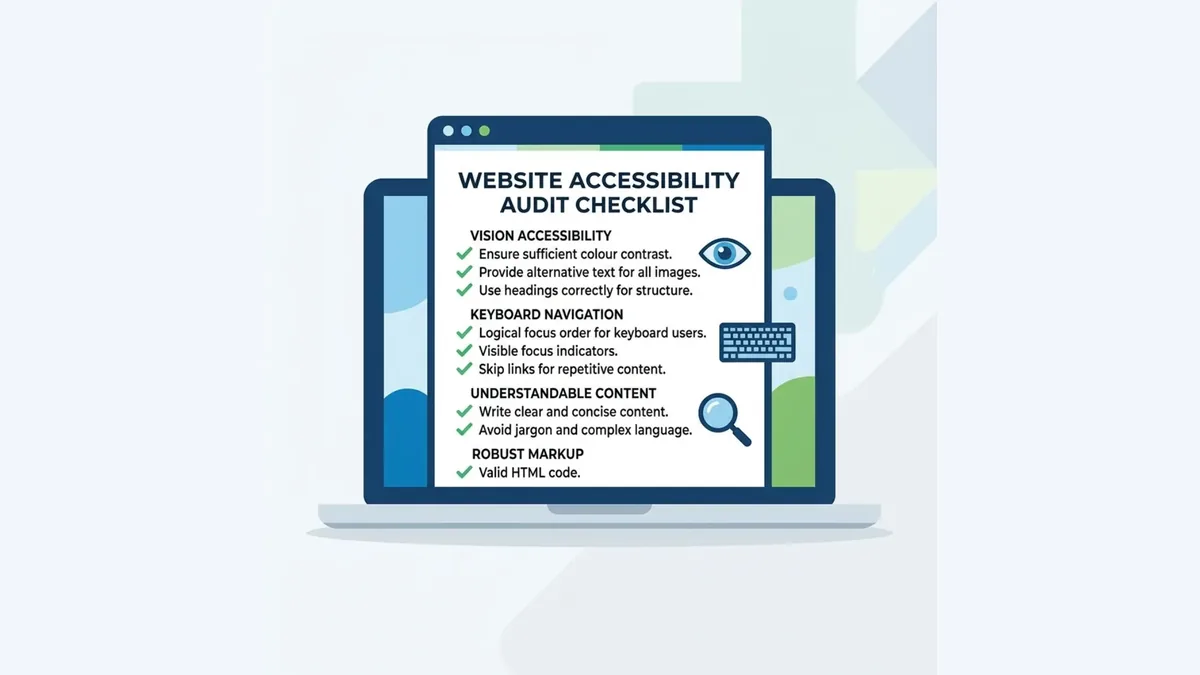
Accessibility is significantly cheaper to build in than to retrofit. Adding correct alt text to 200 images after the site is live takes hours. Specifying alt text requirements before the designer touches the first image takes five minutes. We build WCAG 2.1 AA compliance into every NDIS website from day one — and verify it with an 8-step audit before launch.
Step 1 — Automated scan with axe DevTools
We run every page through axe DevTools (free browser extension). Automated tools catch around 30–40% of WCAG issues — missing alt text, form labels without associated inputs, colour contrast failures. These are the easy fixes. We clear the baseline here first.
Step 2 — Colour contrast check on all text
We check every text/background colour combination against WCAG 2.1 AA minimums: 4.5:1 contrast ratio for body text, 3:1 for large text. Most common failure: light grey text (#999) on white — looks clean in a design but fails WCAG at 2.85:1.

Step 3 — Keyboard navigation test
We unplug the mouse and navigate the entire site using only the keyboard. Every interactive element must be reachable and operable. We verify the focus indicator (visible outline) is visible at all times. NDIS websites commonly fail on custom dropdown menus and accordion components.

Step 4 — Screen reader test with NVDA or VoiceOver
We test with NVDA on Windows or VoiceOver on iOS and listen to the page as a screen reader user hears it. Common failures: images with alt text saying "image" instead of describing content, links saying "click here," form errors not announced, headings skipping levels.
Step 5 — Alt text audit on every image
Every image is reviewed individually. Decorative images get alt="". Informative images get descriptive alt text — "Support worker helping NDIS participant prepare a meal in a home kitchen" not "support-image-3.jpg".
Step 6 — Form accessibility check
Every form is checked for: visible labels on all inputs (not just placeholder text, which disappears when the user starts typing), clear error messages that identify the problem and fix, and logical tab order through all fields.
Step 7 — Resize to 200% zoom test
WCAG 2.1 AA requires pages to work at 200% text zoom without loss of content or functionality. We check that no text is cut off, no buttons overlap, and all content remains readable.
Step 8 — Document and fix
Every issue found is documented with a screenshot, the WCAG criterion it violates, and the specific fix. We re-audit affected components before launch. No NDIS website we build goes live with known WCAG 2.1 AA failures.
What fails most often
- Colour contrast on secondary text. Grey text that looks fine on screen often fails the 4.5:1 ratio.
- Focus indicators removed by CSS.
outline: nonein the stylesheet — in almost every template because designers find the default outline ugly. - Images with filename alt text. Images uploaded without alt text get their filename ("IMG_3847.jpg"). Meaningless to a screen reader.
- Form fields with placeholder-only labels. A field with placeholder "Your name" but no
<label>element is inaccessible to screen readers. - Accordion and tab components not keyboard operable. Commonly built to work with a mouse only.
Free tools to run your own audit
- axe DevTools — free Chrome/Firefox extension. Best automated scanner available.
- WebAIM Contrast Checker — paste hex colours, get the ratio instantly.
- WAVE — visual overlay of accessibility errors on any public URL.
- NVDA — free screen reader for Windows. Download from nvaccess.org.
- VoiceOver — built into every Mac and iPhone.
Our full 24-point checklist: NDIS Website Accessibility Checklist. For NDIS website design and pricing: NDIS website design service page.
Frequently asked questions
Is WCAG 2.1 AA legally required for NDIS provider websites?
Not explicitly mandated in one law, but the Disability Discrimination Act 1992 prohibits discriminating against people with disabilities in the provision of services. The Australian Human Rights Commission has investigated digital accessibility complaints. Building to WCAG 2.1 AA is the legally safe position.
How long does a WCAG audit take?
For a 10-page NDIS website, our 8-step audit takes 4–6 hours for the first pass and 1–2 hours for the re-audit after fixes. Automated tools handle step 1 in minutes. Keyboard and screen reader tests take the most time.
Can automated tools like axe catch all WCAG issues?
No. Automated tools catch around 30–40% of WCAG 2.1 AA issues. The other 60–70% require human judgement — does the alt text actually describe the image? Is the keyboard navigation order logical? Automated tools are step one, not the whole process.
Want to see this applied to your business?
We’ll design your homepage free, with your real business name and services, so you can judge the work before deciding anything.
Prefer to talk? Book a free call.
Related reading
More from the accessibility section